
Finding Digital Certificates in Windows
This shows how to find digital certificates in your Windows

Written by Michael Cone
Updated at January 22nd, 2026
- VTube Update Articles
- VTube Technical Articles
- Downloadable Resources
- VTube Videos
- Measuring Devices
- Utility Software
- Partners
- Benderlink Hardware
- Bending Terminology
- Benderlink Software
- Benderlink Update Articles
- CNC Bender ProControl
- Bender to XYZ
- General Software Topics
- Windows Technical Articles
- TubeCAD
- FIF Translator Updates
Table of Contents
Definition
Digital certificates are important because they establish trust and security in digital communications by providing three critical functions: authenticating identity (proving you're communicating with the legitimate entity, not an imposter), enabling encryption (protecting sensitive data from being intercepted), and ensuring integrity (verifying that information hasn't been tampered with).
Without them, there would be no reliable way to conduct secure online transactions, verify the authenticity of websites and software, or protect confidential information transmitted over networks - essentially making modern e-commerce, online banking, secure messaging, and most trusted internet services impossible.
For Code-Signing
Advanced Tubular Technologies uses certificates to code-sign software that we send to customers.
How to find installed certificates for the current user
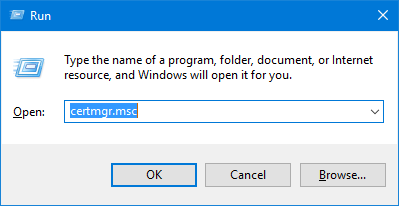
Press Windows key + R to open the Run dialog, then type certmgr.msc
and press Enter.
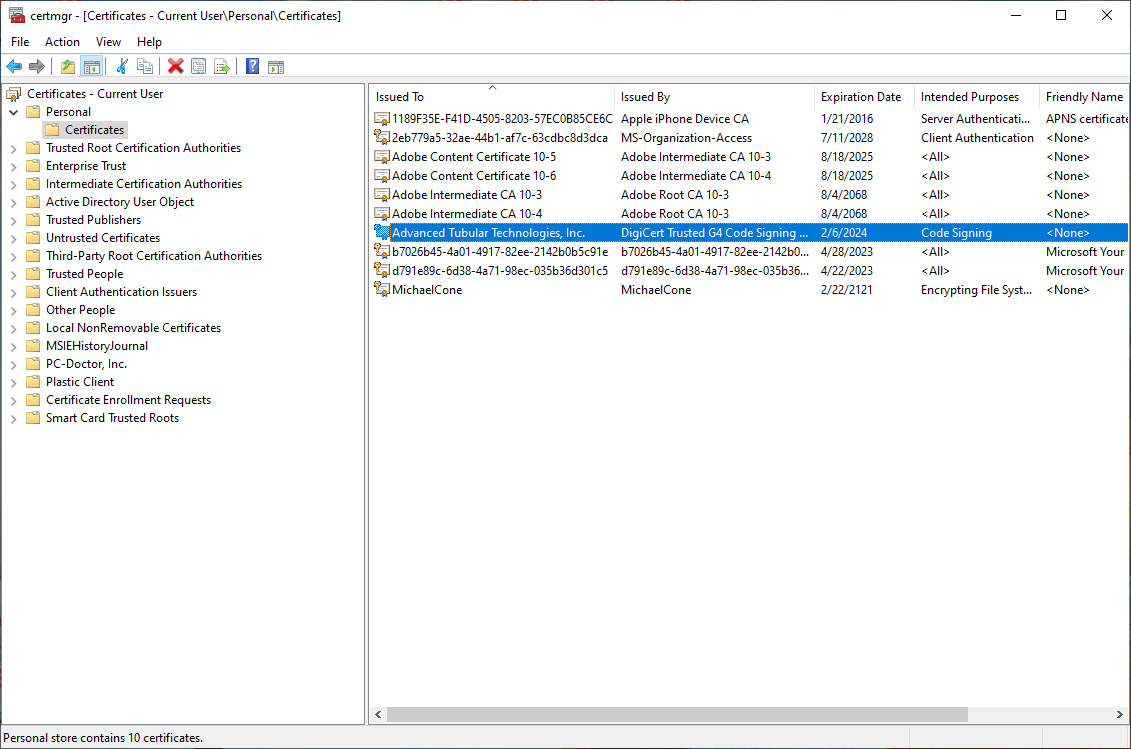
Go to Personal Certificates and find the one you want to use:
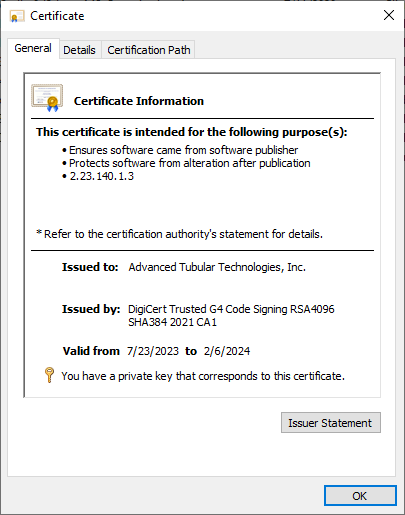
Open it:
Click on the Details tab
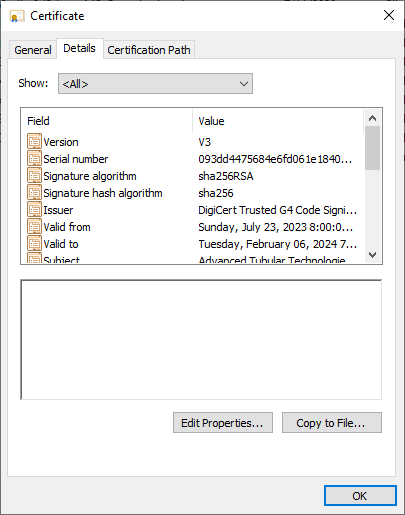
Scroll down to thumbprint and click on it
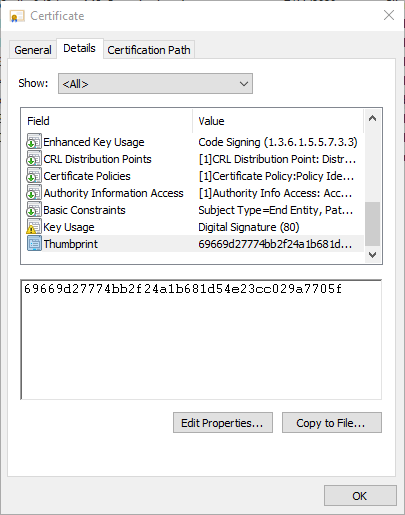
Copy it into the clipboard.
Use it to form your codesigning batch files like this:
"c:\Program Files (x86)\Windows Kits\10\bin\x86\signtool.exe" sign /tr http://timestamp.digicert.com /td sha256 /fd sha256 /sha1 69669d27774bb2f24a1b681d54e23cc029a7705f "CodeSignTarget.exe"